For anyone who is still having issues with API Blocks when they have cleared cookies, changed proxies or tried to rotate ISP. Here was my account fix.
Here are the steps:
1. Download “Device Info HW” application from Google Playstore.
2. Go to your automation software settings and change device id with your custom device id.
You may ask why?
Heres a screenshot:

This was my device id on profile. Problem is Device SM-G313U doesnt support nor 27 Android API nor Android Oreo. The DPI count is completely wrong, same as resolution. qcom is also bad info since there is no other info (there are tons of qcom processors).
3. You know why we are doing this. Now we can proceed. Go to Device Info HW and copy your stats from your real android device.
_
(Android API Number)/(Android Version Number); (DPI); (Resolution); (Device Manufacturer);(ROM Name);(Device Model); (system platform); (device language)
_
Example of my Xiaomi Redmi Note 7 Pro:

Explanation
28 as Android API Level of Android Pie
9.0.0 as Android Pie
409dpi/409ppi Density of my device
1080x2340 Resolution of device
Xiaomi as manufacturer
Redmi as Brand name
Note 7 as model name/number
msm8953 as board/platform holder of device
en_US as my language on Android Device
It should work now. You can also change main infos like device id, phone id, unique id, advertising id.
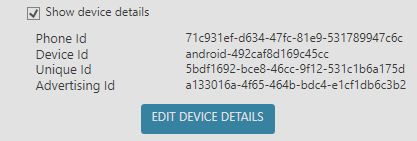
If you shook up all the things. I’ve mentioned and things before this post. It’s a guarantee your profile should be API-Block-FREE.